CyberChef
CyberChef is a web application with an abundance of tools, including decoding and encoding to and from various formats such as Base64, ROT13, XOR, and Hex. It is often referred to as the Cyber Swiss Army Knife, and I can see why. There are over 400 tools.
I’ve personally used CyberChef on many occasions, most commonly to decode Base64 or PEM certificates. To this day, I am still discovering new tools within CyberChef. Most recently, I’ve found a tool called Magic that helps you decode items with multiple layers of encoding.
A really cool thing about CyberChef is that it is developed and maintained by the GCHQ (Government Communications Headquarters) in the UK, which is the UK’s cyber, security, and intelligence agency.
In this post, I will show you how to use CyberChef and how to host it yourself with Docker and a Cloudflare tunnel.
Using CyberChef
Accessing CyberChef
If you search for CyberChef, there are a few versions online, but the only official version is hosted on the GCHQ GitHub, which can be accessed at https://gchq.github.io/CyberChef/
CyberChef Layout
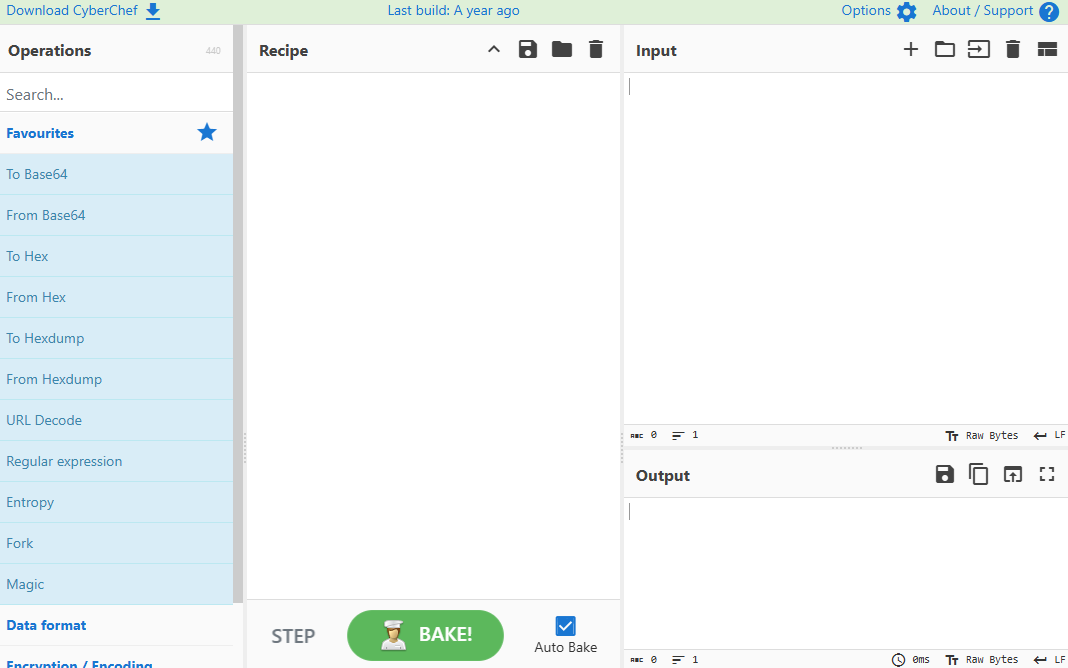
Once you have accessed CyberChef, you will see four main panels.
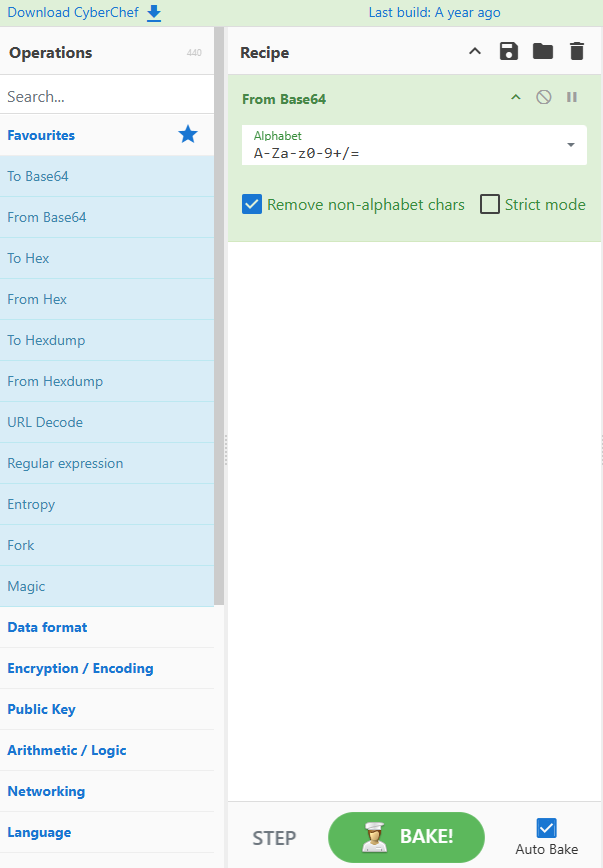
The first panel is the tools, also known as operations. The next panel is the recipe. The next two panels are the input and the output.
Baking
To use CyberChef, you need to bake it. Baking consists of using operations to make a recipe.
To make a recipe, you need to drag an operation onto the recipe panel.
For example, if I wanted to decode the following Base64 string VGhpcyBpcyBCYXNlNjQgaW4gQ3liZXJDaGVm.
I would drag the From Base64 operation over to the recipe panel.