Skip to content
Skip to content
theDXT
  • Home
  • IT
  • Scripts
  • GitHub
  • LinkedIn
  • X (Twitter)
  • Search Icon
Setting Up Cloudflare Access

Setting Up Cloudflare Access

June 26, 2022

I’ve been a fan of Cloudflare for a while now. I love how fast they can propagate DNS changes and I typically like to use them as a DNS resolver. An issue that I’ve ran into many times, is how to protect something with MFA (Multi-Factor Authentication) that doesn’t have any support for MFA.

This problem is common with legacy web applications and very common with SCADA (Supervisory Control And Data Acquisition) web applications. The issue I was trying to solve was how to put MFA in front of a SCADA web application.

I decided to use Cloudflare Access. Cloudflare Access goes by a few names some of them are Cloudflare Zero Trust Network Access (ZTNA), Cloudflare Access, and Cloudflare Zero Trust Access. For simplicity I’m going to refer to it as Cloudflare Access.

Cloudflare Access is really nice because you can put it in front of any web application and it will require the user to authenticate before they can even reach the website.

If you have a lot of applications like this you can even set it up so the users can login to a portal to see all of the applications that are available to them. You can do all of this without the user having to install anything. What’s even better is that it’s free for 50 users.

Here’s how I setup a SCADA web app with Cloudflare Access.

…

Read More Read More

Windows Recovery Partition

Windows Recovery Partition

June 18, 2022

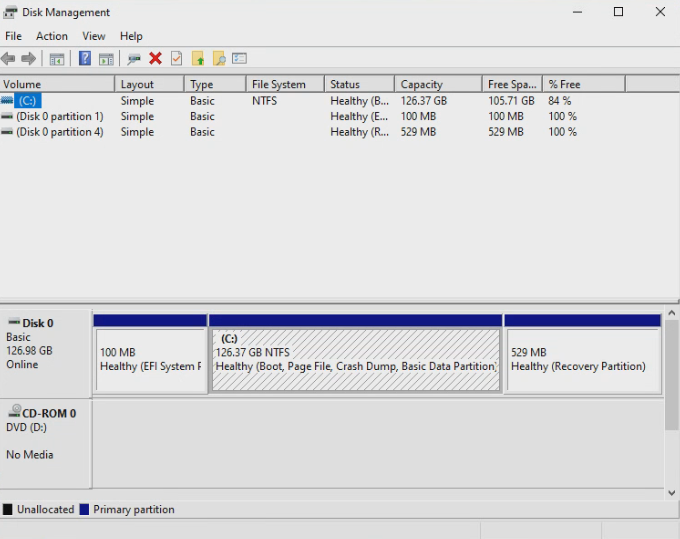
When you install Windows it always creates a Recovery Partition, which runs a very lite version of Windows with a few tools. There’s been a few times where I’ve used those tools to fix a system.

I wanted to know what would happen if I deleted the Recovery Partition. This is what I found down that rabbit hole.

Your Windows partitioning will look something like this.

Disk Partitioning with Recovery Partition
…

Read More Read More

geoSCOUT published remote access

geoSCOUT published remote access

June 14, 2022

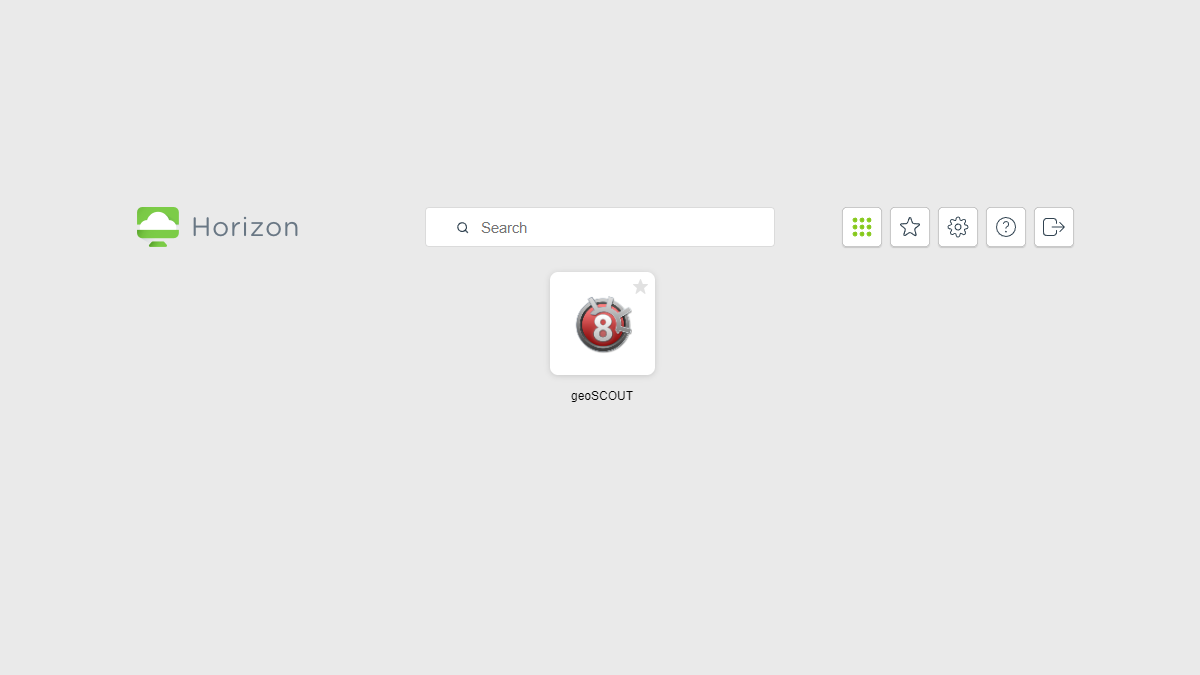
I needed to get geoSCOUT working in Omnissa Horizon (formerly VMware Horizon) but geoLOGIC doesn’t officially support publishing geoSCOUT to systems like Citrix, RD Web, and Horizon. Due to the way that geoSCOUT works you can’t just launch the geoSCOUT exe and have it work.

On the first launch a user would normally run the geoSCOUT Desktop_Build_NonAdmin_v8.exe installer which will create the App Data and the document files for the user. The creation of the App Data part is important because that is when it creates the reference to the geoSCOUT license file. If you try to just run the geoSCOUT Desktop_Build_NonAdmin_v8.exe install file outside of the path of your geoSCOUT license file it won’t install correctly.

Now a way to get around the issue is to have the user RDP into your session host that is publishing the application and have them run the non admin installer but that isn’t very seamless and is very time consuming.

My solution was to write a PowerShell script that launches before the user launches geoSCOUT.

…

Read More Read More

FortiGate Hair-pinning

FortiGate Hair-pinning

April 16, 2022

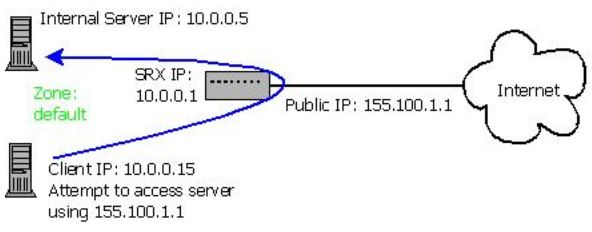
I have been playing around with Policy mode on the FortiGate and an issue that I’ve ran into a few times is if you have something hosted internally that also needs to be accessed externally it doesn’t work internally when you use the external address, for example a reverse proxy.

In my setup I use a reverse proxy in front of my WordPress Docker containers. Due to this they are running on random ports. When I need to access them I need to use the external address not the LAN address. A half workaround that I was doing, was using CloudFlare proxied mode which did work but I wanted to fix it without needing to do that.

…

Read More Read More

FortiGate Deny Logs

FortiGate Deny Logs

February 3, 2022

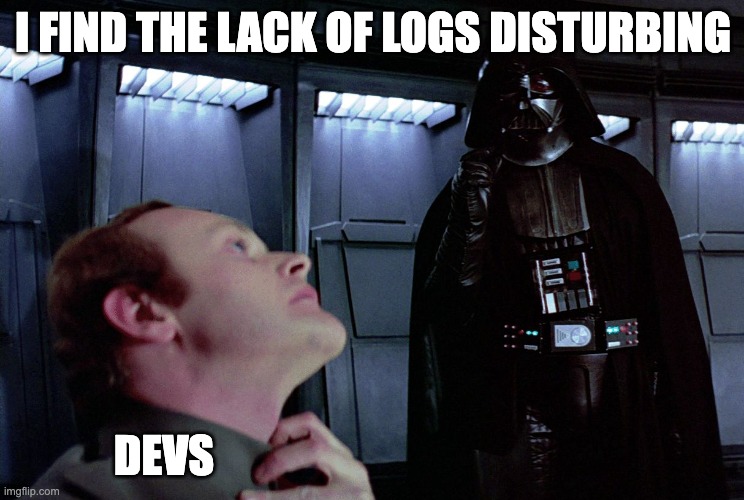
Something that’s annoyed me with FortiGates is that viewing the deny logs isn’t super straight forward. Part of the issue is the fact that Fortinet disables the deny log by default and if you don’t know where to look for it you might not figure it out by clicking around.

Fortinet says that they have the deny logs off by default to optimize the usage of logging space. I however want to see as much info as possible when possible, especially when troubleshooting.

Thankfully turning it on is easy, here’s how to do it and view it.

…

Read More Read More

Script to make Scripts

Script to make Scripts

October 25, 2021

It finally happened, I actually needed to make a script to write scripts. There’s been a few times where I needed to write multiple scripts that are basically the same minus a few variables and in the past I’ve just done this manually. An example of this is a BitDefender Gravity Zone install script, I have a basic PowerShell script that I use and the only items I need to change are the Gravity Zone ID and the company name.

However all of the scripts broke because the URL to get the BitDefender MSI changed and the MSI used to be in a ZIP file. Now all the PowerShell scripts are trying to download from a dead URL and are written to handle an MSI in a ZIP file.

…

Read More Read More

VMware Copy Paste Enabler

VMware Copy Paste Enabler

July 1, 2021

Something that has annoyed me with VMware when compared to Hyper-V is the fact that Hyper-V lets you paste into the VM console. By default VMware has that disabled but you can manually enable it. Doing that is kind of slow so I wrote a script with PowerCLI to enable copy paste on a VM.

…

Read More Read More

geoSCOUT 8.17 Launcher Upgrade

geoSCOUT 8.17 Launcher Upgrade

June 22, 2021

With the release of geoSCOUT version 8.17 geoLOGIC upgraded the geoSCOUT launcher but only included an upgrade file that needs to be ran as admin on each system and under each user account. Which is annoying in company setups where users don’t have local admin.

Technically speaking geoSCOUT still works even if you don’t run the geoSCOUT 8.17 launcher upgrade, the users just don’t get some of the new features and that’s not fun.

One of the changes geoLOGIC made with geoSCOUT 8.17 is the shortcuts. In the past the shortcuts would be set to start in the user’s documents folder but now they are set to start in program files.

Typically a program needs to run as admin when it is changing things beyond what a normal user account can change like system settings or files. With the 8.17 geoSCOUT launcher it is updating the geoSCOUT exe in program files and updating the system wide start menu shortcut with the updated start in info.

…

Read More Read More

Windows Admin Center SSO

Windows Admin Center SSO

May 30, 2021

If you’ve installed Windows Admin Center (WAC) on a domain joined server and you connect to another domain joined system you’ll see a message similar to this.

Having to login multiple times is annoying so here’s how to make the Single Sign On work with WAC using Kerberos constrained delegation.

…

Read More Read More

Hide Installed Programs

Hide Installed Programs

March 23, 2021

Have you ever wanted to be sneaky and hide a program that’s installed on your computer from Programs and Features and the Apps & features list? Well search no more, I have all the answers you seek. It’s shockingly simple.

Proper programs will list their uninstall info directly in the registry all we have to do is tweak that slightly.

If the program is 64 bit it will show up in the registry in HKEY_LOCAL_MACHINE\SOFTWARE\Microsoft\Windows\CurrentVersion\Uninstall and it will have a key for it’s program sometimes listed by its program ID or the actual program. You may need to search for the application you want to hide.

If the program is 32 bit it will show up in the registry in HKEY_LOCAL_MACHINE\SOFTWARE\WOW6432Node\Microsoft\Windows\CurrentVersion\Uninstall just like 64 bit it will have a key for the program.

The process is the exact same for 32 bit or 64 bit programs.

…

Read More Read More

Posts navigation

OLDER POSTS
NEWER POSTS

About Me

Daniel Keer

Project Lead, Senior Consultant at Digitally Accurate Inc.

Awards and Certificates
VMware vExpert ⭐⭐⭐⭐
Omnissa Tech Insider ⭐⭐⭐

Consulting

Stuck on something? Reach out to Digitally Accurate Inc. and we can provide expert IT consulting to help you move forward.

  • Microsoft Entra ID Governance Access Package Workflow
  • Configure Microsoft Entra ID Governance Entitlement Management Access Packages
  • Microsoft Entra ID Conditional Access What If
  • Microsoft Entra ID Conditional Access
  • Configure VCF Installer Online Depot

Recent Posts

  • Microsoft Entra ID Governance Access Package Workflow
  • Configure Microsoft Entra ID Governance Entitlement Management Access Packages
  • Microsoft Entra ID Conditional Access What If
  • Microsoft Entra ID Conditional Access
  • Configure VCF Installer Online Depot
  • Deploy VCF Installer
  • I’m Going to VMware Explore 2026
  • Passing VCP-VCF Architect Exam
  • Deploy Horizon Edge Gateway on VMware vSphere
  • Add Administrators to Omnissa Horizon

Tags

2014 Calgary Certificates Christmas EUC event Firewall holiday How To Microsoft Microsoft 365 Mouthy & Keerious Networking Omnissa podcast Power Loss PowerShell review Script Spoiler Free twelve days of christmas VEDA VEDA 2015 video vlog Vlog Every Day in April VMware Windows youtube yyc

© 2026   Copyright. All Rights Reserved.