Skip to content
theDXT
  • Home
  • IT
  • Scripts
  • GitHub
  • LinkedIn
  • X (Twitter)
  • Search Icon
FortiGate Deny Logs

FortiGate Deny Logs

February 3, 2022

Something that’s annoyed me with FortiGates is that viewing the deny logs isn’t super straight forward. Part of the issue is the fact that Fortinet disables the deny log by default and if you don’t know where to look for it you might not figure it out by clicking around.

Fortinet says that they have the deny logs off by default to optimize the usage of logging space. I however want to see as much info as possible when possible, especially when troubleshooting.

Thankfully turning it on is easy, here’s how to do it and view it.

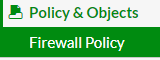
  • Go to your Policy & Objects and click on Firewall Policy
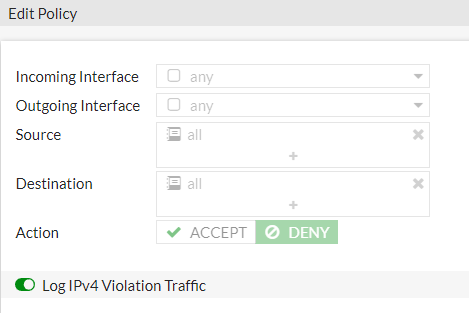
  • Edit your Implicit Deny rule
  • Turn on Log IPv4 Violation Traffic
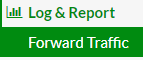
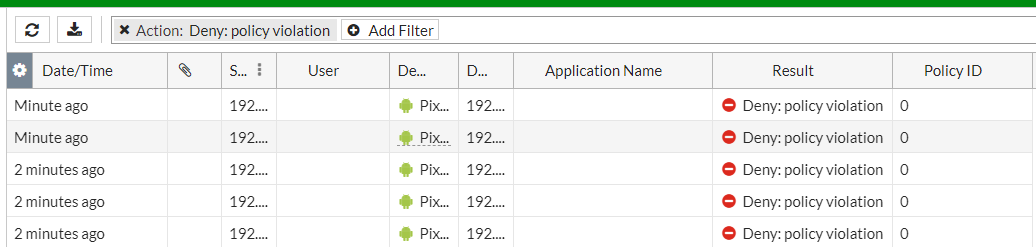
  • Now you can view the deny log in Forward Traffic under the Log & Report section
You might need to change your filters to find what exactly you are looking for

Related posts:

Default ThumbnailFortiGate Hair-pinning FortiGate Policy Mode vs Profile Mode FotiGate Enable Policy Mode Policy Based Forwarding

IT
Firewall, FortiGate, Fortinet, How To, Logs, Networking

Post navigation

PREVIOUS
Script to make Scripts
NEXT
FortiGate Hair-pinning

Leave a Reply Cancel reply

Your email address will not be published. Required fields are marked *

About Me

Daniel Keer

Project Lead, Senior Consultant at Digitally Accurate Inc.

Awards and Certificates
VMware vExpert ⭐⭐⭐
Omnissa Tech Insider ⭐⭐

Consulting

Stuck on something? Reach out to Digitally Accurate Inc. and we can provide expert IT consulting to help you move forward.

  • Veeam Backup & Replication 13 Windows Install
  • Enable Windows 10 Extended Security Updates
  • slmgr.vbs
  • CyberChef
  • Install or Upgrade Duo Authentication for Windows Logon
© 2026   Copyright. All Rights Reserved.