Disable Auto Windows Updates
Auto Windows updates are annoying especially when left untamed as it will automatically reboot the device be it a workstation or a server. I’ve written a script that can mass disable Windows updates across all devices even if they aren’t domain joined.
Technically you could go in and disabled the Windows Update service but that stops all Windows updates. I don’t think that’s a good idea.
Another way would be to bring up Group Policy Editor and go to Computer Configuration > Administrative Templates > Windows Components > Windows Updates > Configure Automatic Updates and set that to be disabled.
However that option will work for domain joined devices but what about the non domain joined devices. It doesn’t make much sense to go to each device and manually edit the setting via the Local Group Policy Editor. To solve this issue I’ve written a script that could be ran across all devices including domain joined device and would leave other Windows updates settings in place.
When you bring Group Policy Editor and go to Computer Configuration > Administrative Templates > Windows Components > Windows Updates > Configure Automatic Updates and set that to be disabled.
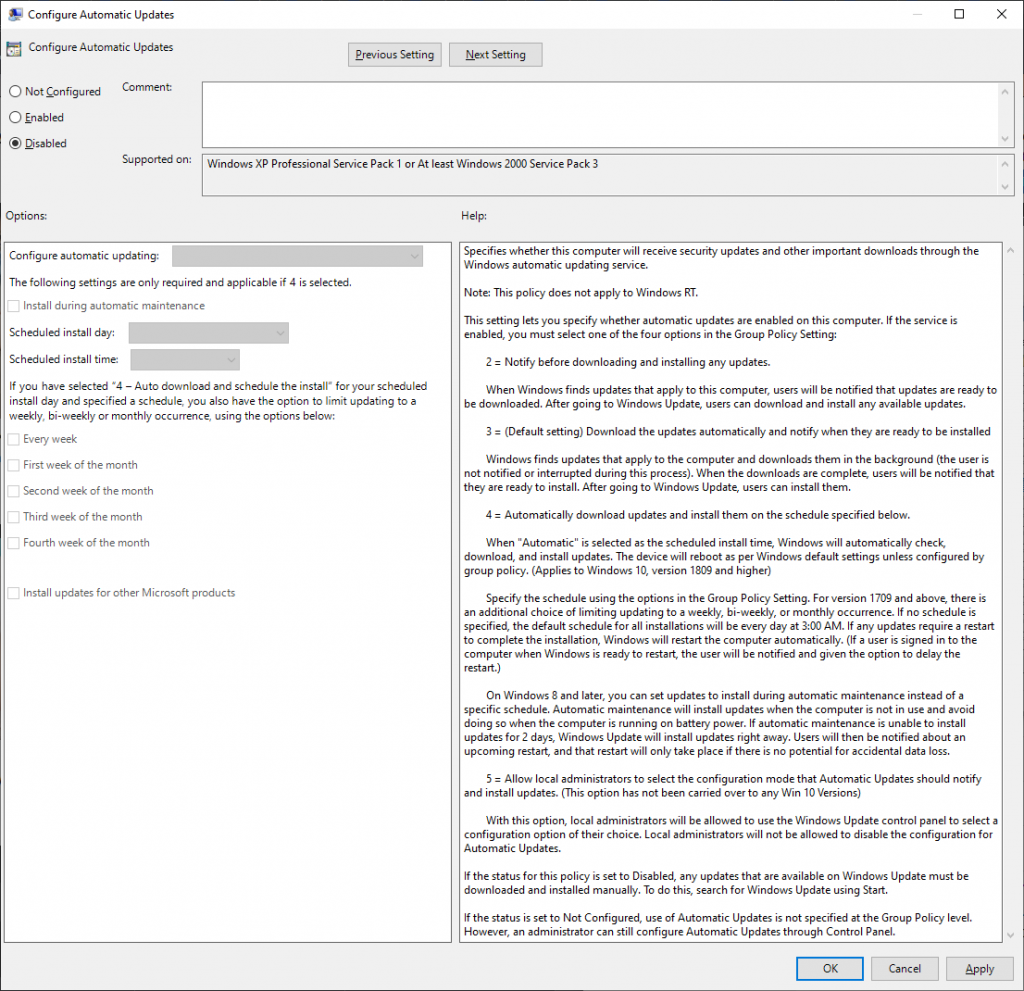
What ends up happening is the registry key HKEY_LOCAL_MACHINE\SOFTWARE\Policies\Microsoft\Windows\WindowsUpdate\AU is added and the DWORD NoAutoUpdate is created with the value of 1
You could run a PowerShell command to force that registry key and value into the registry but that creates an issue on systems that have other Windows updates settings as they are saved in the same key.
To avoid that issue I’ve written a PowerShell script that will check if the registry key exists and if the key exists it will only alter NoAutoUpdate if the key doesn’t exist it will make the key and create the DWORD.
Here is all the code for the script
$RegKey = 'HKLM:\SOFTWARE\Policies\Microsoft\Windows\WindowsUpdate\AU'
$KeyName = 'NoAutoUpdate'
$KeyValue = '1'

if(-not (Test-Path $RegKey)){

    New-Item -Path $RegKey -Force

    New-ItemProperty -Path $RegKey -Name $KeyName -Value $KeyValue -PropertyType DWORD -Force
}else {
Set-ItemProperty -Path $RegKey -Name $KeyName -Value $KeyValue
}
Code language: PowerShell (powershell)
I’ve posted the script on my GitHub here is a link to the specific script https://github.com/thedxt/Powershell/blob/main/Single-Task/DisableAutoUpdates.ps1



One thought on “Disable Auto Windows Updates”