Microsoft 365 Setup Microsoft Graph PowerShell SDK
Microsoft has been warning about the deprecation of the MS Online and Azure AD PowerShell cmdlets for a while now; the end date is fast approaching, and some of the commands have stopped working. You can read the Microsoft post about the deprecation here.
Microsoft Graph is becoming a day-to-day reality and a tool we’ll need to use to manage items in Microsoft 365 with PowerShell.
In this post, I’ll cover step-by-step how to setup the Microsoft Graph PowerShell SDK to connect to a Microsoft 365 tenant and show how it works and how to secure it.
Installing
To get started with Microsoft Graph we first need to install it.
- Open PowerShell as Admin
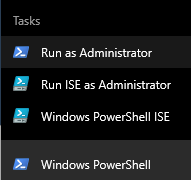
- Install Microsoft Graph PowerShell SDK by running the command
Install-Module Microsoft.Graph

Connecting
Now that the Microsoft Graph is installed we can connect to a Microsoft 365 tenant.
- Run the following PowerShell command to connect to a Microsoft 365 tenant
Connect-MgGraph

- Login with a Global Admin account.
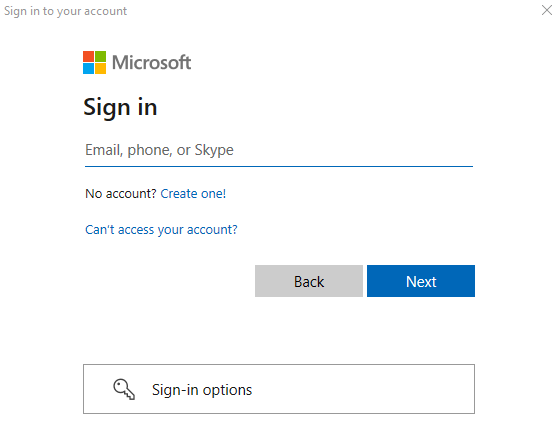
You will now see a screen that lists the permissions that Microsoft Graph needs to function.
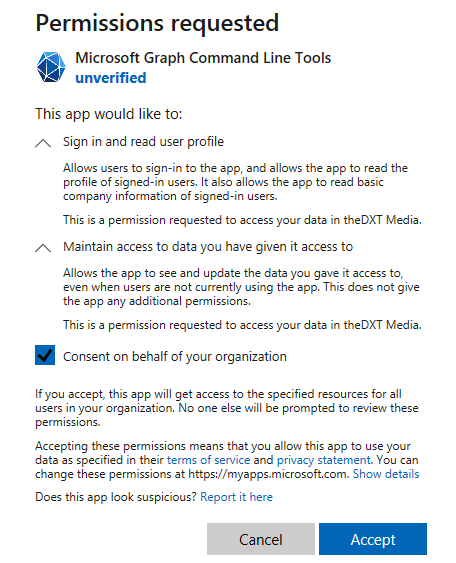
- Select Consent on behalf of your organization and click Accept
It is normal that the Microsoft Graph Command Line Tools shows up as unverified, there is a long-standing issue on GitHub about it. You can read more about Issue #482 on GitHub.
Now you are connected to the Microsoft 365 tenant and can run Microsoft Graph cmdlets.
How it works
I got curious about why the application permissions are needed and what is happening. Here’s what I found out.
When you click Accept it creates an enterprise application in Microsoft Entra ID (Azure AD) named Microsoft Graph Command Line Tools and has an Application ID of 14d82eec-204b-4c2f-b7e8-296a70dab67e and grants the app delegate permission to the permissions that were listed. By selecting Consent on behalf of your organization allows the app to not have to ask for the permissions every time you use it.
…