Skip to content
theDXT
  • Home
  • IT
  • Scripts
  • GitHub
  • LinkedIn
  • X (Twitter)
  • Search Icon
TrueNAS Expand Zvol

TrueNAS Expand Zvol

July 1, 2024

At some point, you will need to expand your TrueNAS Zvol. In this post, I will cover step-by-step how to increase the size of your Zvol on TrueNAS, specifically TrueNAS Core or TrueNAS Enterprise.

The Process

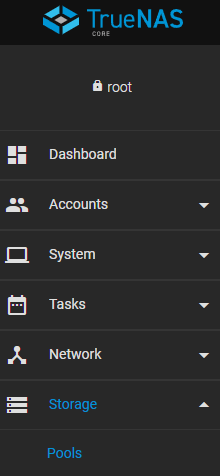
  • Click on Storage > Pools.
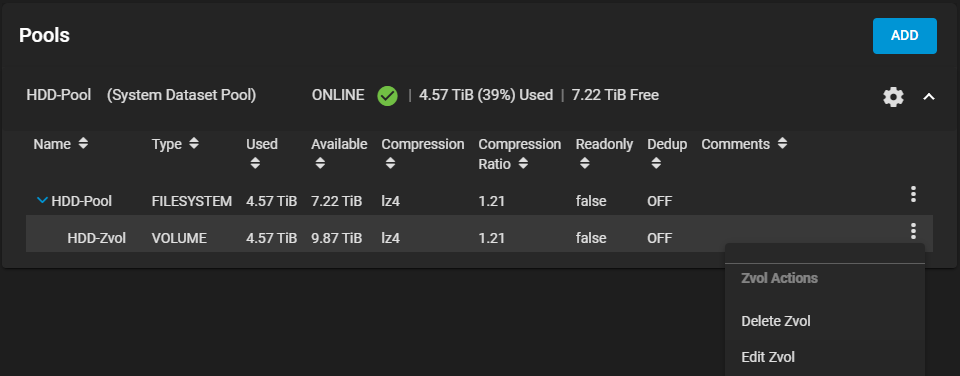
  • Click on the three-dot menu beside the Zvol you want to expand and select Edit Zvol.
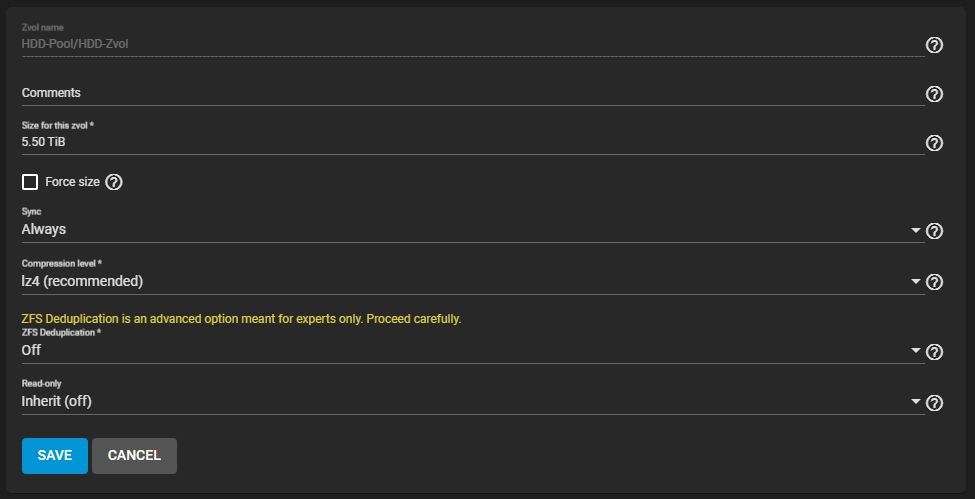
  • Under Size for this zvol, enter a number larger than the current size and click Save.

For me, I will enter 5.50 TiB.
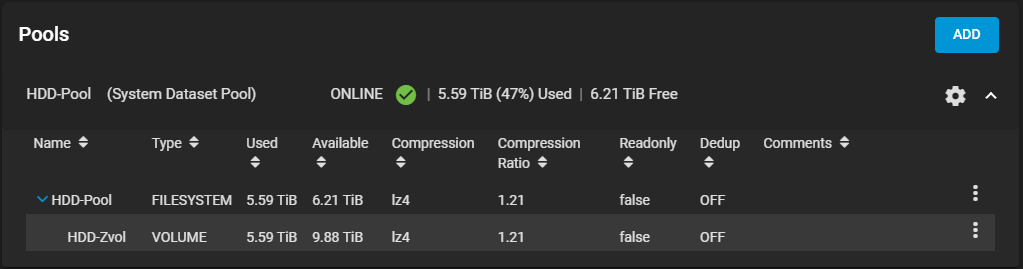
That’s it you have now expanded your Zvol to the increased size you entered.
If you want to read more about expanding Zvols, here is the TrueNAS documentation.


Related posts:

TrueNAS Install Tweaks Omnissa Horizon Unmanaged VDI Black Screen Issue VMware Tools on Windows Server Core Cloudflare Access IdP with Entra ID

IT
FreeNAS, How To, Storage, TrueNAS, TrueNAS Core, TrueNAS Enterprise

Post navigation

PREVIOUS
UniFi Network Application MongoDB Upgrade
NEXT
vCenter ESXi Config Backup Script

Leave a Reply Cancel reply

Your email address will not be published. Required fields are marked *

About Me

Daniel Keer

Project Lead, Senior Consultant at Digitally Accurate Inc.

Awards and Certificates
VMware vExpert ⭐⭐⭐
Omnissa Tech Insider ⭐⭐

Consulting

Stuck on something? Reach out to Digitally Accurate Inc. and we can provide expert IT consulting to help you move forward.

  • Veeam Backup & Replication 13 Windows Install
  • Enable Windows 10 Extended Security Updates
  • slmgr.vbs
  • CyberChef
  • Install or Upgrade Duo Authentication for Windows Logon
© 2026   Copyright. All Rights Reserved.