Skip to content
theDXT
  • Home
  • IT
  • Scripts
  • GitHub
  • LinkedIn
  • X (Twitter)
  • Search Icon
Windows Recovery Partition

Windows Recovery Partition

June 18, 2022

When you install Windows it always creates a Recovery Partition, which runs a very lite version of Windows with a few tools. There’s been a few times where I’ve used those tools to fix a system.

I wanted to know what would happen if I deleted the Recovery Partition. This is what I found down that rabbit hole.

Your Windows partitioning will look something like this.
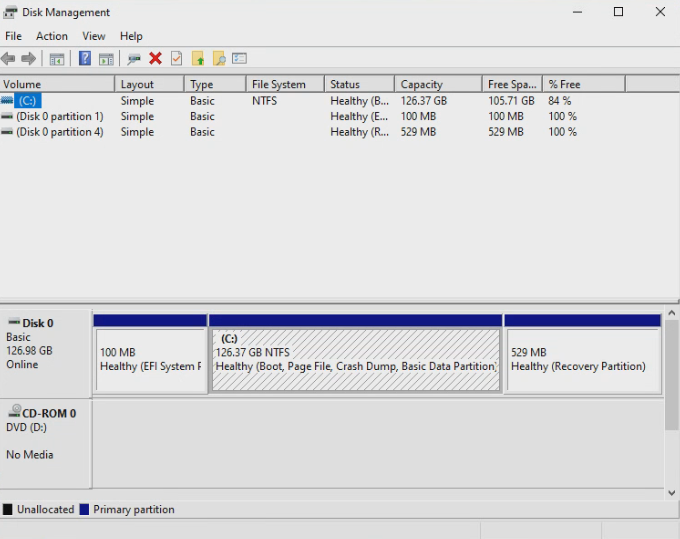
Disk Partitioning with Recovery Partition

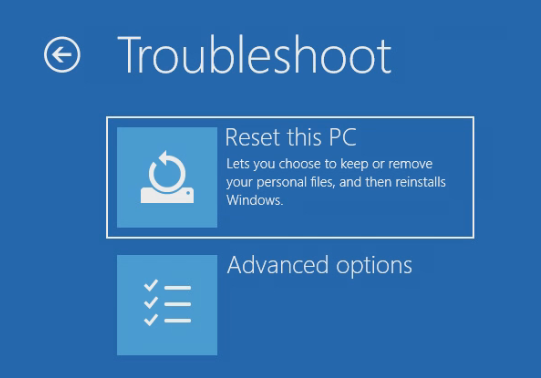
With the Recovery Partition you have access to troubleshooting options like

  • Reset this PC
Troubleshooting options with the Recovery Partition

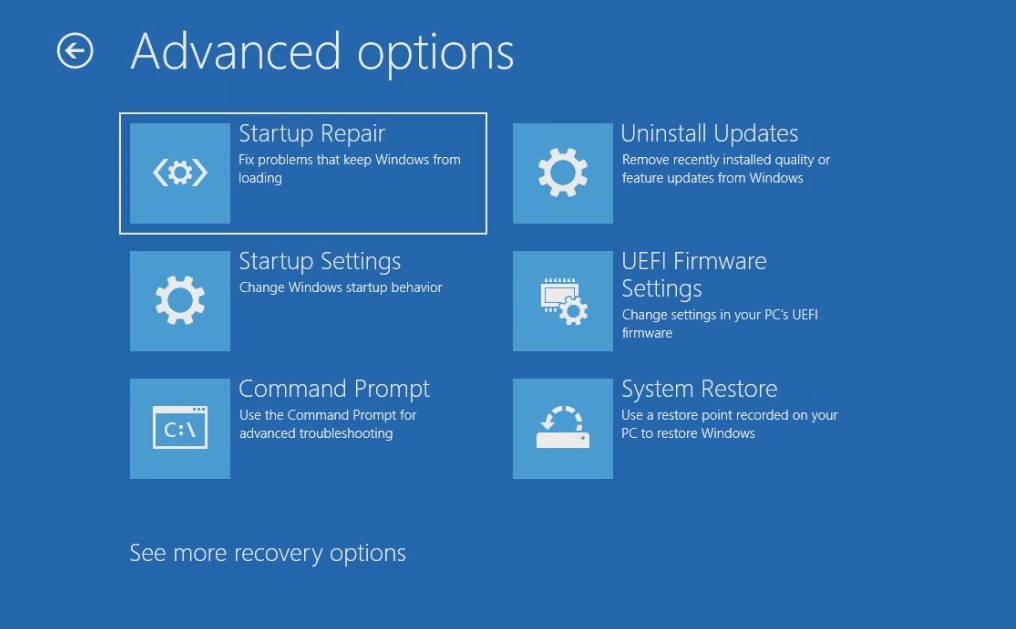
You also have access to advanced troubleshooting options like

  • Startup Repair
  • Uninstall Updates
  • Startup Settings
  • UEFI Firmware Settings
  • Command Prompt
  • System Restore
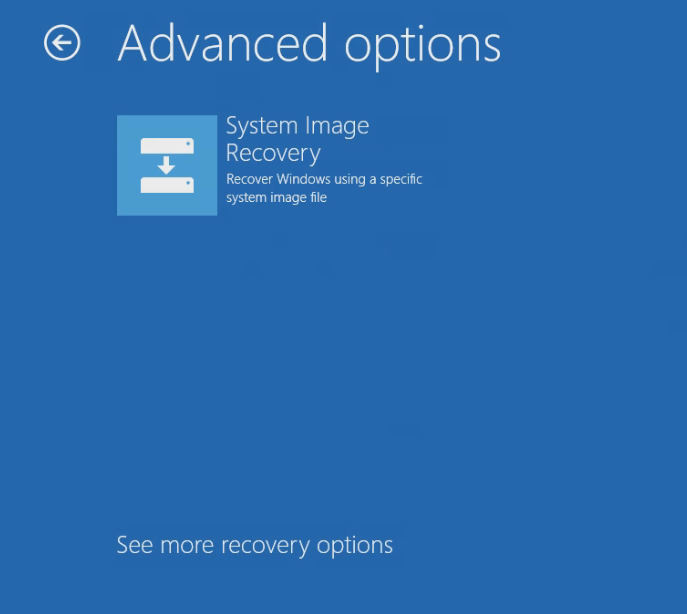
  • System Image Recovery
Advanced Troubleshooting options with the Recovery Partition
More Advanced Troubleshooting options with the Recovery Partition

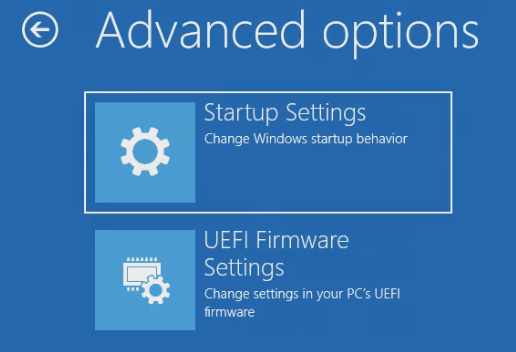
Once I deleted my Recovery Partition I had a lot less troubleshooting options

The only options you get are

  • Startup Settings
  • UEFI Firmware Settings
Troubleshooting options without the Recovery Partition

It’s interesting to see how many options rely directly on the Windows Recovery Partition. I didn’t see any impact to the system after deleting the Recovery Partition other than significantly fewer recovery options.

If you want to read more about the Recovery Partition you can read more about it here https://docs.microsoft.com/en-us/windows-hardware/manufacture/desktop/windows-recovery-environment–windows-re–technical-reference

Related posts:

Moving Windows Recovery Partition Correctly VMware Tools on Windows Server Core ONIE Partition Exists Fix Default ThumbnailDisable Auto Windows Updates

IT
EUC, Microsoft, Partition, Rabbit Hole, Recovery, Windows

Post navigation

PREVIOUS
geoSCOUT published remote access
NEXT
Setting Up Cloudflare Access

One thought on “Windows Recovery Partition”

  1. Pingback: Moving Windows Recovery Partition Correctly - theDXT

Leave a Reply Cancel reply

Your email address will not be published. Required fields are marked *

About Me

Daniel Keer

Project Lead, Senior Consultant at Digitally Accurate Inc.

Awards and Certificates
VMware vExpert ⭐⭐⭐
Omnissa Tech Insider ⭐⭐⭐

Consulting

Stuck on something? Reach out to Digitally Accurate Inc. and we can provide expert IT consulting to help you move forward.

  • ESX Regenerate Self-Signed Certificate
  • Veeam Backup & Replication 13 Windows Install
  • Enable Windows 10 Extended Security Updates
  • slmgr.vbs
  • CyberChef
© 2026   Copyright. All Rights Reserved.