Install Debian 12 Bookworm
Debian is a solid Linux distribution I’ve been using for a while. It is my default Linux OS of choice. Many popular Linux distros are actually based on Debian, such as Ubuntu, Proxmox, Kali Linux, TrueNAS SCALE, SONiC, Raspberry Pi OS, SteamOS and many more.
In this post, I will show you step-by-step how to install Debian 12, aka Bookworm.
The Process
- Download the Debian ISO from Debian.org (I tend to use the small installation image, aka netinst, as it has everything I need out of the box, and anything else I can download as needed)
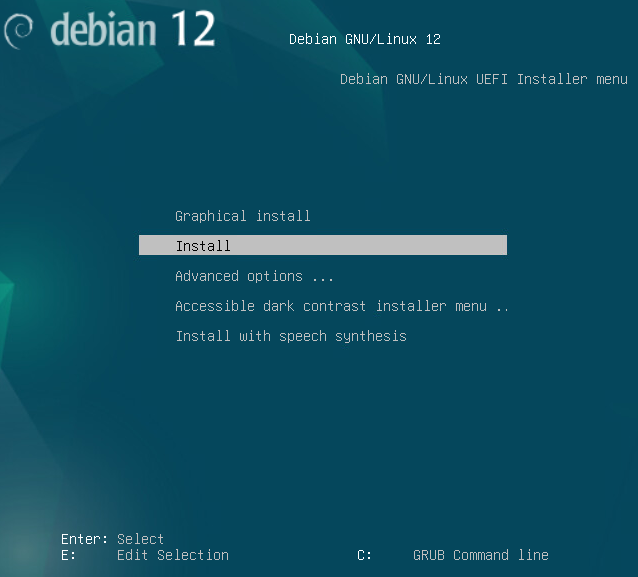
When you boot up the Debian installation media, you are presented with the option of a graphical version of the installation or a text-only version. It doesn’t matter which option you select. The end result is the same.
- Select if you want to use the graphical (aka GTK) or text-based install (aka newt).
I tend to use the text-based installation more as I can complete it slightly faster.
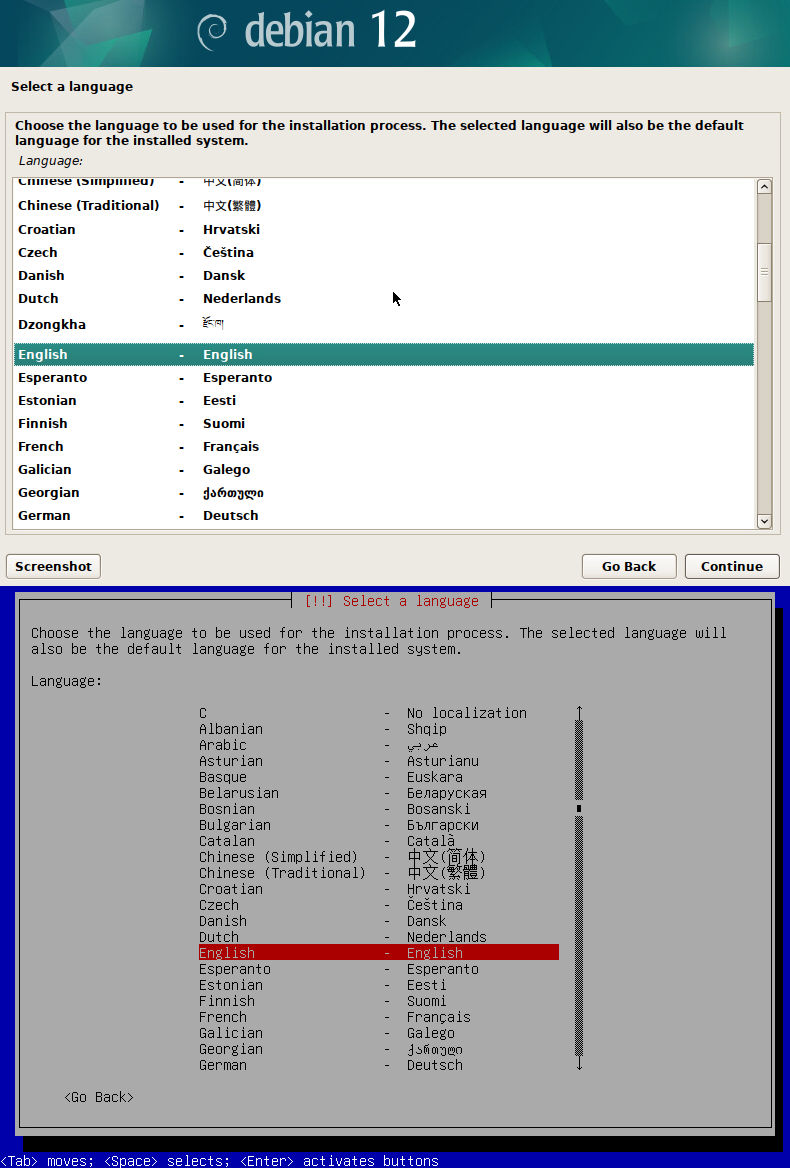
- Select your language.
The language you select will be used for the installation process and will be the default language for the Debian install.
I will select English.
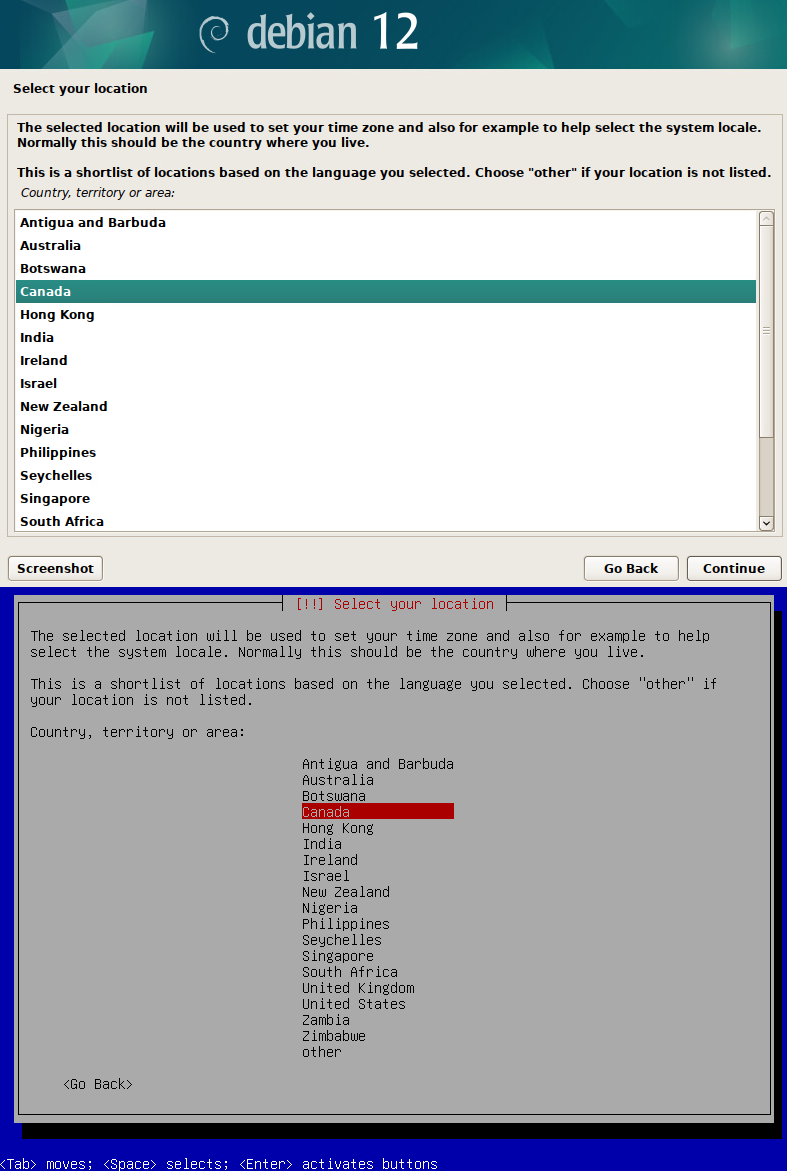
- Select your location.
I will select Canada.
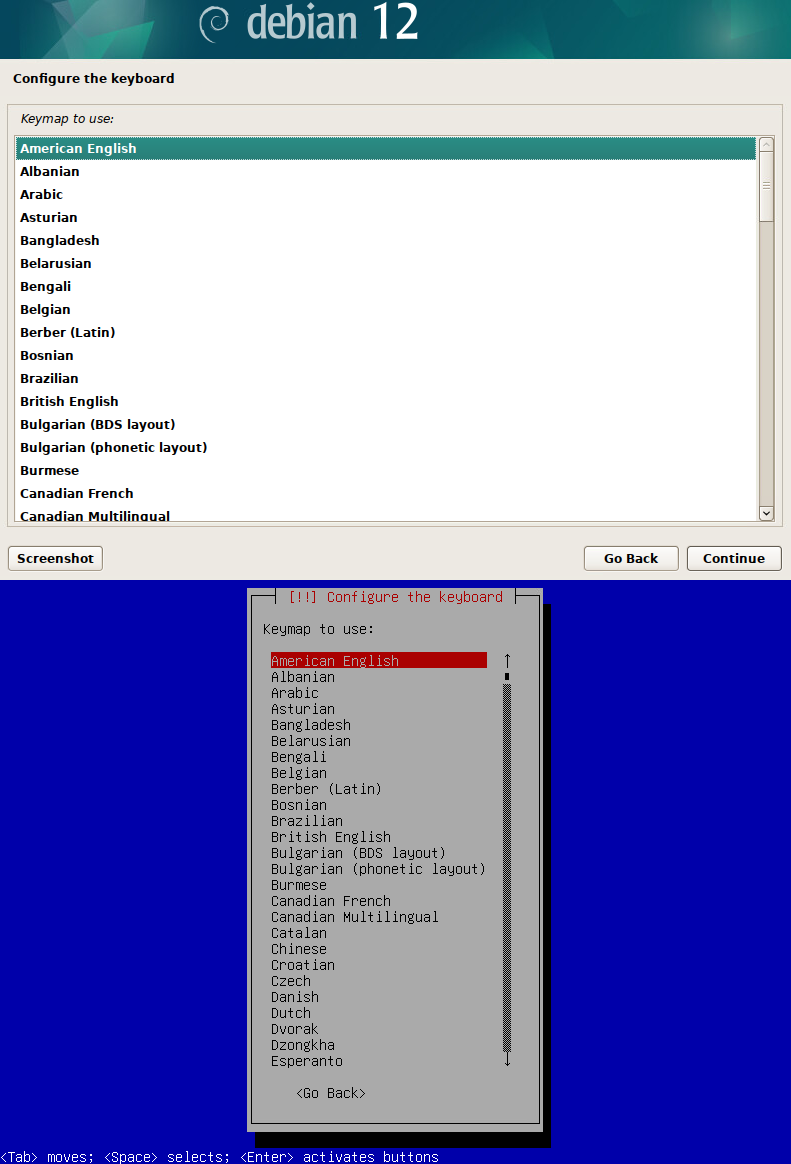
- Select the keyboard layout you use.
I will select American English.
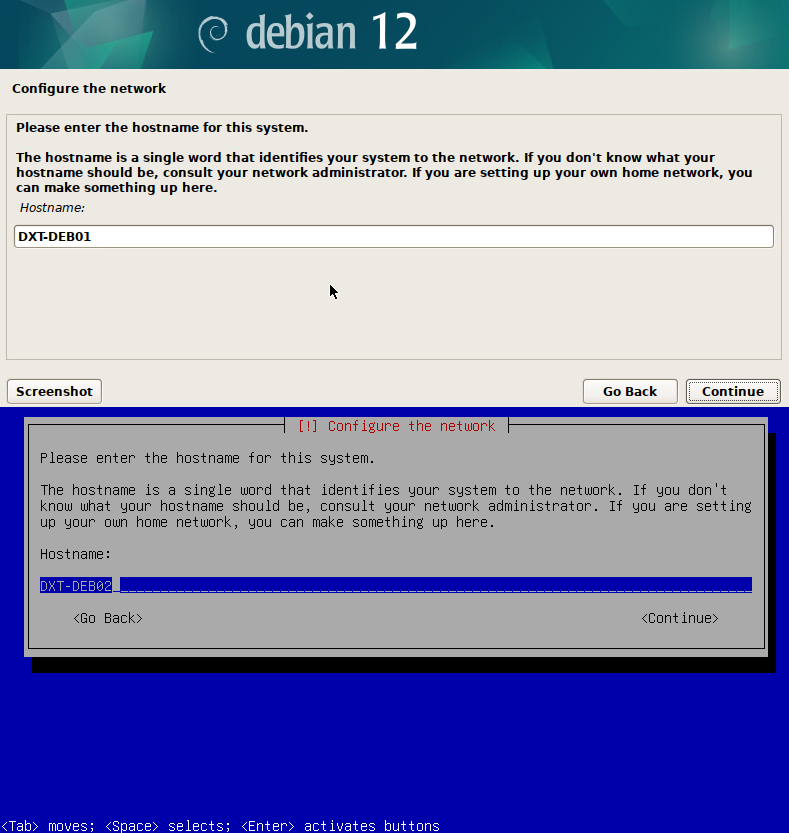
- Enter the hostname for the Debian system.
I will use the hostnames DXT-DEB01 and DXT-DEB02
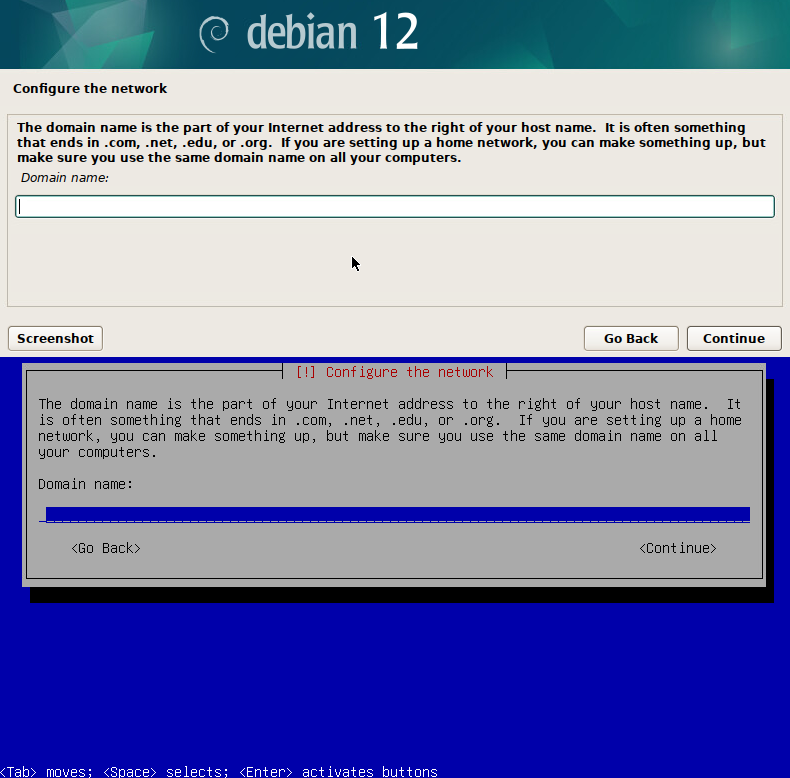
- Enter the domain name if the Debian system is on a domain network. If not, just leave it blank.