
Microsoft Entra ID External MFA
Microsoft recently announced that External Authentication Methods has been renamed to External MFA and is Generally Available.
Microsoft also announced that Custom Controls is being deprecated, with its deprecation currently planned for September 30th, 2026. Microsoft Entra ID External MFA (formerly External Authentication Methods) replaces Custom Controls.
Here is a brief timeline of Custom Controls and External MFA:
- September 2018: Custom Controls was released as a Public Preview.
- March 2020: Microsoft acknowledged some limitations of Custom Control and said that something new was being built to replace it.
- May 2024: External Authentication Methods was released as a Public Preview to replace Custom Controls.
- March 2026: External Authentication Methods was renamed External MFA and became Generally Available.
- September 2026: Custom Controls will be deprecated.
Here’s how to check if you have Custom Controls configured.
Custom Controls Configuration Check
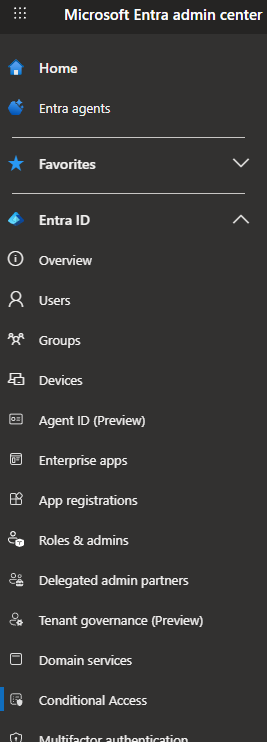
- Log in to the Microsoft Entra Admin Center.
- Click on Entra ID > Conditional Access.
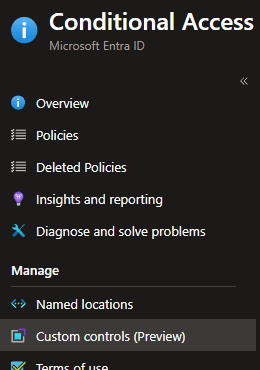
- Click on Custom Controls (Preview).
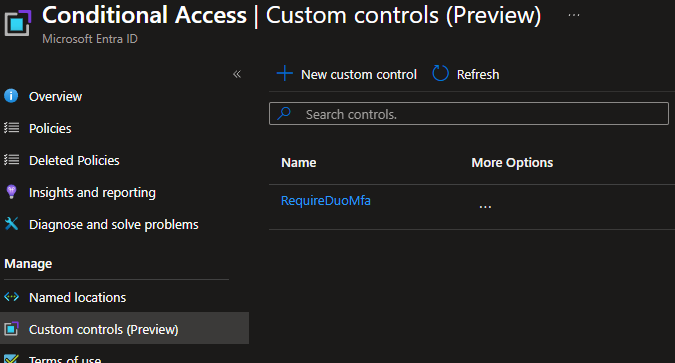
- If anything is listed, you are possibly using Custom Controls.
In my example, the Custom Control RequireDuoMfa is currently configured.
If you have Custom Controls configured, you also need to check if the configured Custom Controls are being used by Conditional Access policies.
Conditional Access Policy Check
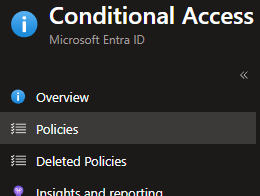
- Click on Policies.
- Click on a Conditional Access policy.
In my example, I will click on the Conditional Access policy named Duo MFA Custom Controls.
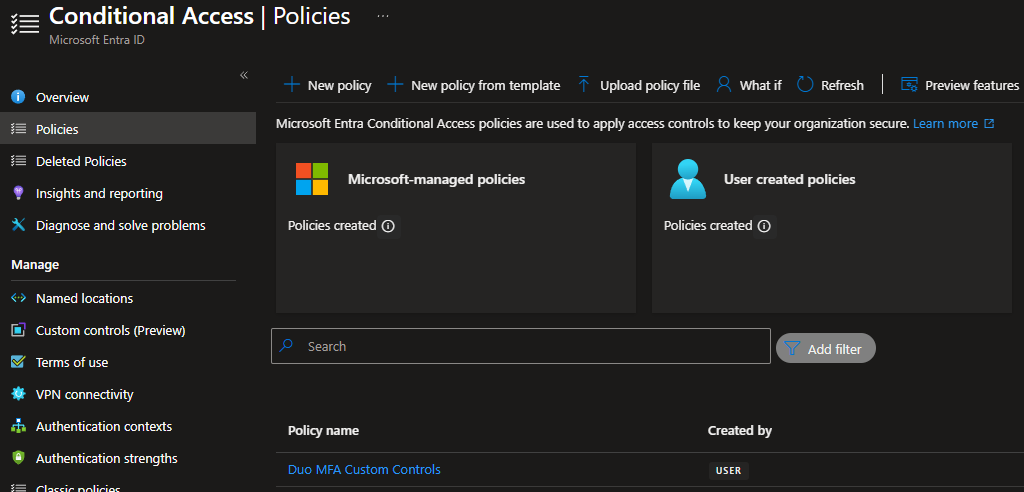
- Click on Grant.
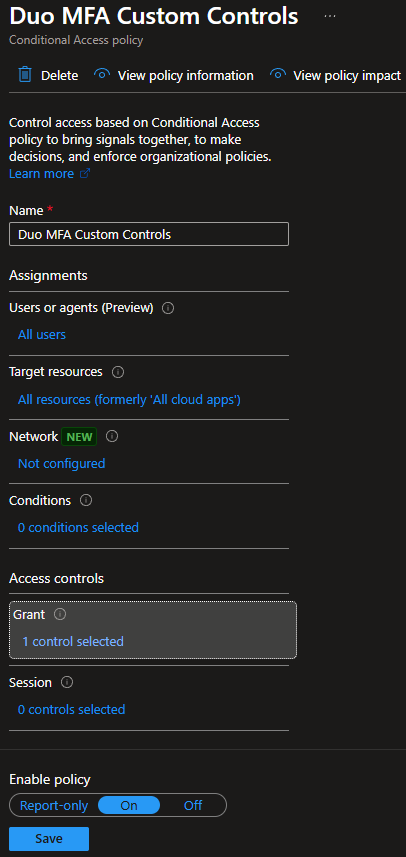
- Review the configured Grants.
In my example, the RequireDuoMfa Custom Control grant is being used.
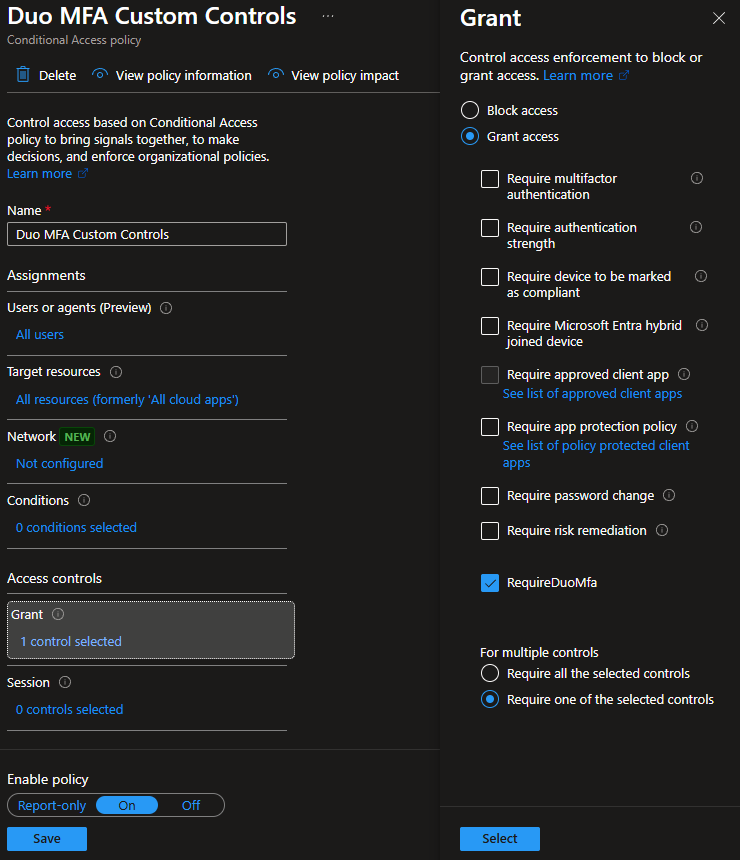
- Make a note of the policy that is using the Custom Control.
- Repeat the process for the other Conditional Access polices.
If you find any Conditional Access policies using a Custom Controls grant, start planning your migration to External MFA before Custom Controls are deprecated in September 2026.
My blog post, Entra ID External Authentication Methods with Duo, details how to transition from the Entra Custom Control RequireDuoMFA to External MFA. Even though my blog post refers to External MFA by its original public preview name, External Authentication Methods, the process remains the same.
For more information about the Custom Controls deprecation or External MFA, here is the Microsoft announcement.
For more information about External MFA, here is the Microsoft documentation.