
ESXi Build Number without vCenter
Knowing your ESXi Build Number can be very useful. It’s really easy to do with vCenter. Without vCenter it’s not as straight forward. Here are a few ways to get your build number when you don’t have vCenter.
Console
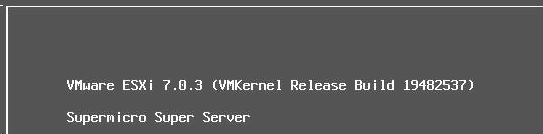
If you have access to the console of the ESXi host via IPMI or iLO or iDRAC or physical access, you can get your ESXi build number right from there, you don’t even need to login.
Help Menu
You can also get your ESXi build number right from the Help menu in the Web UI.
- Login to the Web UI of your ESXi host
- Click on Help > About
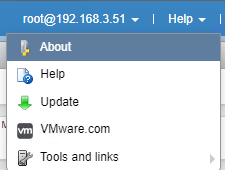
You will now get a screen that show you your ESXi build number.
It should look something like this
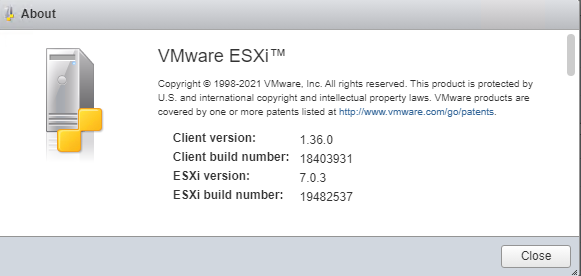
In this example we know that my ESXi build number is 19482537.
SSH
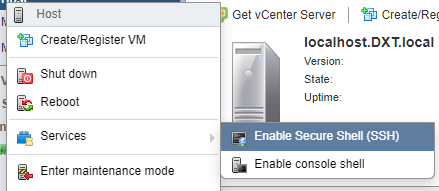
- Enable SSH on your ESXi Host by right clicking on the host and selecting Services > Enable Secure Shell
- Login to your ESXi host with SSH
- Enter the following command
vmware -v

You will get an output that looks something like this
VMware ESXi 7.0.3 build-19482537
In this example we know that my ESXi build number is 19482537.
ESXi Config Backup File
You can also get your ESXi build number from an ESXi config backup file, which can be helpful if you want to know which ESXi build number was installed when a backup was taken.
To do this we will need something that can open a tgz archive. I like to use 7-Zip.
- Open your ESXi config backup file
In your ESXi config backup file there will be another tgz archive with the same name
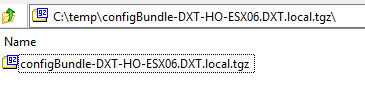
- Open the second tgz archive in your ESXi config backup file
- Go into the folder named
. - Open the file named
Manifest.txt

The contents of Manifest.txt should look something like this
RELEASELEVEL=VMware ESXi 7.0 Update 3
BUILDNUMBER=21313628
UUID=30393157-3496-5155-4595-31374D36514A
KERNELOPTS=autoPartition=FALSE
USEROPTS=
In this example we know that my ESXi build number is 21313628.
If you want to know how to take an ESXi Config Backup you can read about it here (https://thedxt.ca/2021/01/esxi-config-backup/)
Build Number to Release Name
With our build number we can translate it over to a release name.
The VMware document called Build numbers and versions of VMware ESXi/ESX (2143832) has everything we need to convert the build number to a release name.
If we use the build number from the SSH example we know that build number 19482537 means that the release name is ESXi 7.0 Update 3d.
If we use the build number from the ESXi config backup file example we know that the release name for build number 21313628 is ESXi 7.0 Update 3k.
That’s all it takes to figure out your Build Number without vCenter and how to figure out your release name from a build number.


3 thoughts on “ESXi Build Number without vCenter”
thank you – clear & helpful info
shame they moved the build info from the main host page after sign in though
You are most welcome.