Onyx (MLNX-OS) Text Config Export
By default, with Onyx (MLNX-OS), when you export the switch configuration, it is exported as a bin file rather than the regular text-based config files we are all used to. Fortunately, there’s a way to export the configuration as a text file.
In this post, I will show you step-by-step how to generate and export a text-based configuration file from a switch running Onyx (MLNX-OS).
The Process
- SSH into the switch
- Run the command
enableto elevate yourself

- Enter configuration mode with the command
configure terminal

Before we can run the next command, we need to build it out. First, we tell the Onyx switch to generate a text-based version of the configuration. We will do that with the command configuration text generate
The following option tells the Onyx switch what to use to generate the text config file. We can use an already saved configuration file, or we can use the active configuration. I will use the active configuration. To do this, I will use the active parameter.
Now, we need to specify if we want to use the running config that could be unsaved or the saved version of the running config. If the running config isn’t saved, it’s not real, and I don’t care about it, so I will use the saved option.
Next, we decide if we want the configuration’s expanded version. The expanded version will list everything individually and not use ranges. I like ranges, so I won’t be using the expanded parameter.
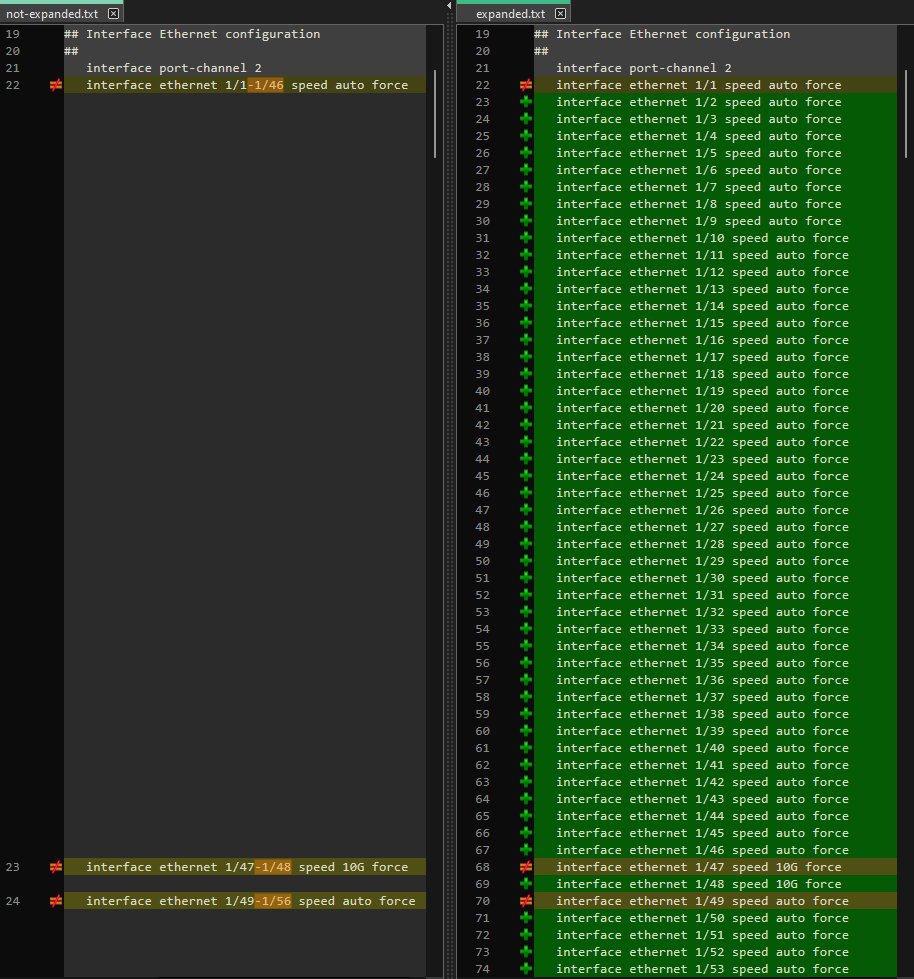
We also need to tell the Onyx switch we want to copy the generated text configuration file off of the switch. We will do that with the parameter upload.