Windows Updates PowerShell Script
There have been a lot of critical exploits over the last few months. Really the best way to deal with that is Windows Updates. Now I can hear you complaining that Windows Updates left untamed will just reboot your servers randomly or I don’t want to build WSUS or my RMM doesn’t patch well and it sucks and <insert your excuse here>.
Well I’ve created a PowerShell script that I called DK Win Updates that will help solve the issue. It uses the Windows Update Agent API to search for updates and guess what you can run this as .ps1 file, you could build a scheduled task to run it, you can toss it in your RMM and run it as a script. (if your RMM can’t do that, you should find a new RMM).
The script will search for Windows Updates as if you were clicking on the Windows Check for updates UI button. It will not download driver updates because I’m not that crazy. Do that yourself or tweak the script to make it do it (but I wouldn’t).
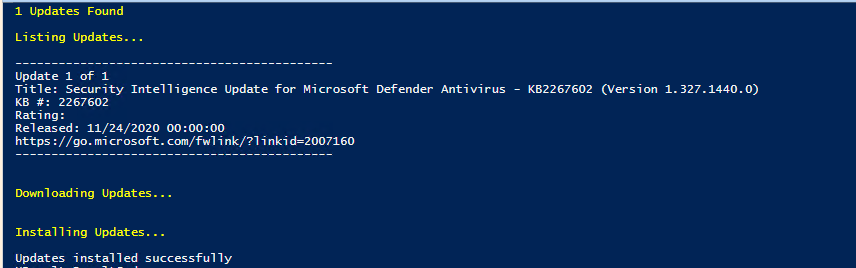
Once the script finds updates it will list out all the updates it found and then it will start downloading them and then it will move onto installing them.
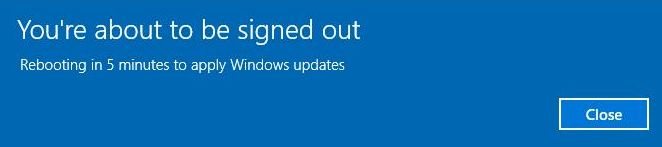
After the updates are installed if the updates need a reboot it will reboot the system and give a 5 min warning before rebooting.
I’ve only tested this on Windows 10, Windows Server 2016, and Windows Server 2019. It might work on older versions of Windows it might not. You should really upgrade.
A few things to be aware of
- The script can’t detect / install Windows 10 Feature Updates / Upgrades
- The Windows Updates history in Windows settings won’t show the fact that the script has installed the updates, but if you look in Programs and Features > Installed Updates they will show up. They also show in event viewer.
- It may install a preview update but only if the preview update would normally be available if you clicked check for updates in the normal Windows UI.
I plan to add more features to it in the future like better verbose output about what its downloading and what its installing and also sending that to a log output file.
The script can be downloaded from my GitHub https://github.com/thedxt/win-updates