




It’s important to back up your Palo Alto Networks firewall configuration, as it is useful in the event of a system failure, configuration error, or other unforeseen circumstances.
In this post, I will show you, step by step, how to backup your Palo Alto Networks firewall config using the GUI or CLI.
The Process
- Login to the Palo Alto Networks firewall.
GUI
- Click on Device.

- Click on Setup.
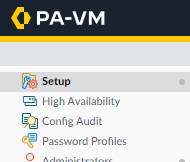
- Click on Operations.

- Click on Export named configuration snapshot.

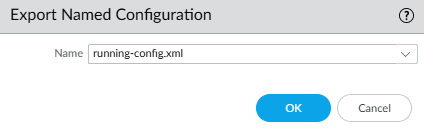
- Select running-config.xml and click OK.
CLI
To export a config backup with CLI, you will need a TFTP server. I will be using SolarWinds TFTP.
- Enter the following command and replace TFTP_IP with the IP of your TFTP server
tftp export configuration from running-config.xml to TFTP_IP
For me, the command will look like this tftp export configuration from running-config.xml to 192.168.3.125

If you want to export your Palo Alto firewall configuration as set commands rather than an XML file, my blog post, Palo Alto Config Set Commands, goes into detail.
If you want to read more about saving and exporting Palo Alto Networks firewall configurations, here is the Palo Alto Networks documentation.