


I recently had the opportunity to attend the very first Workplace Ninjas US conference, which took place in Dallas, Texas, USA, on December 9th and December 10th 2025.
If you’ve never heard of Workplace Ninjas, it is a community of IT professionals focused on Microsoft technologies used in the workplace. Workplace Ninjas US is the US chapter of Workplace Ninjas.
I was very excited to attend Workplace Ninjas US, as this was their first event, and it was the very first Microsoft focused multi-day conference I’ve attended, and many of the presenters are people I follow on social media.
In this post, I will recap my experience at Workplace Ninjas US 2025.
Day 0
My Workplace Ninjas US adventure started on December 8th with a flight from Calgary, Alberta, Canada, directly to Dallas, Texas, USA. I arrived in Dallas around 10 AM local time. Fortunately, even though I was super early, I was able to check into the hotel. The hotel I was staying at was The Highland Dallas. I ended up with room number 403.
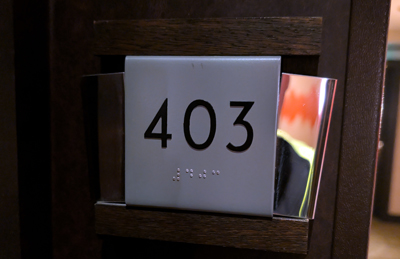
Room number 403 is funny to me, since one of Alberta’s area codes is 403, and it’s the forbidden HTTP status code.
On day 0, a hackathon was taking place offsite at Westlake Brewing Company. I made my way to the hackathon to check it out and meet up with a few of my friends. It was really cool to see all the different teams competing in the hackathon.

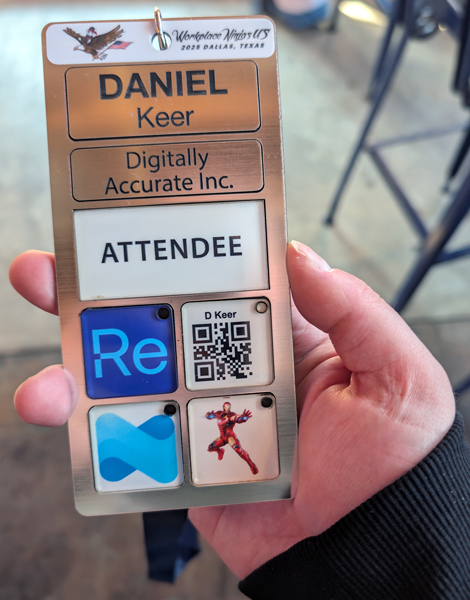
While at the hackathon, I checked in and got my event badge.
Day 1
The first official day of Workplace Ninjas US started with a keynote session where ninjas showed off their ninja skills, which was pretty cool to see. After the ninjas, the keynote kicked off with a presentation by Jason Roszak. Jason spoke about some of the changes coming to Intune and what’s new. One of the biggest announcements recently is that the Intune suite license will be split into the Microsoft E3 and E5 products in 2026. I am very excited about this change, as it will give many customers and me access to new tools.
Jason also announced that Intune will support new recovery options to recover from events like the Crowdstrike BSOD incident. This functionality is expected in the first quarter of 2026. Another significant change with Intune is that the refresh interval has been reduced from 8 hours to 25 minutes or an hour, depending on the change. I am very happy about that change.
The keynote focused a lot on new AI agents that can be used with Security Copilot. Some of the new agents are the Policy Configuration Agent, the Change Review Agent, and the Device Offboarding Agent.
The Policy Configuration Agent is very interesting because it allows you to upload your compliance documents, and it tells you which settings should be changed to be compliant.
The Change Review Agent is very cool because it can recommend changes to mitigate risks in your setup. What’s very awesome is that it won’t just go in and make changes to your environment. It will make recommendations, and admins can review the changes and approve or deny them, just like the CAB (Change Advisory Board) does.
Another neat AI agent is the Device Offboarding Agent, which helps you offboard devices from the various portals, such as Intune, Entra, and Defender. I think this agent will be super helpful, since I’m sure we’ve all forgotten to offboard a device or two across all the portals.
An important item Jason noted is that the AI agents operate with read-only access, and any changes are completed via approval within the context of that admin.
After the keynote, it was time for the breakout sessions. The session I attended was The Art of the Action: Building Resilient Microsoft 365 Tenants with Maester, which Merill Fernando and Fabian Bader hosted. The session announced Maester version 2.0 and covered how to use it, along with some new features. The core of Maester is an automated security tool to assess your tenant. Microsoft has its own version of Maester called the Zero Trust Assessment Tool, which Merill worked on.
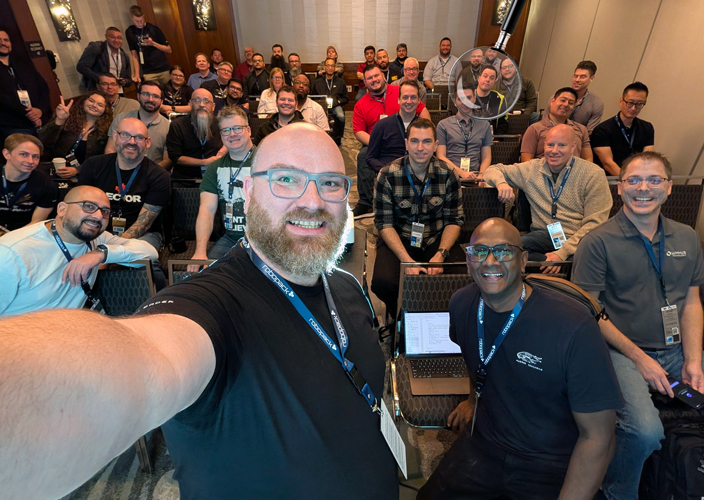
Next, I attended the session The state of passkey at the end of ’25, hosted by Fabian Bader and Christopher Brumm. The session covered the pros and cons of device-bound and synced passkeys. A good takeaway is that passkey is just the marketing friendly term for FIDO2. Right now, there are still a few issues with setting up a user in 365 to be an end-to-end passkey only user, but we are close.
The next session I attended was Secure Collaboration in M365 within a Zero Trust Lens, which Ben Stegink and Jay Leask hosted. This session focused on the foundations you need to keep your 365 tenant secure. In this session, I realized that you can use MAM (Mobile Application Management) even when you are doing MDM (Mobile Device Management), which will further secure your information. This session was very unique. Instead of using a regular PowerPoint like everyone always does, they used Microsoft Whiteboard to make the session highly interactive. I really enjoyed it.
The next session I attended was Secure Your M365 Tenant Like a Boss (Admin Tips You’ll Thank Me For), hosted by Ewelina Paczkowska and Danny Stutz. The session reinforced many of the recommendations I’ve been putting into practice with the customers I manage, such as not syncing admin accounts, disabling app consent, and enabling idle session timeouts, to name a few. I learned that you can add CAPTCHA to Teams meetings to help block bots from joining. The session also made me realize that placing a domain on the tenant allowlist isn’t always a good idea because what happens if the domain is compromised or spoofed? A better approach is to use a mail flow rule/transport rule to allow the message to skip the spam filter, but only if SPF and DKIM pass.
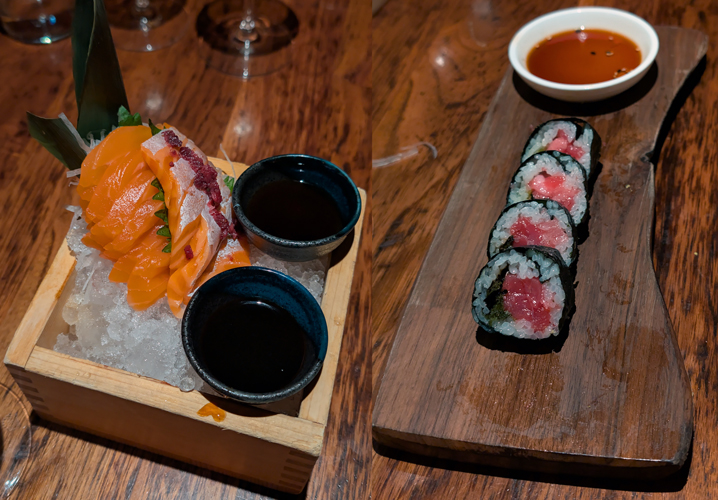
After the sessions, I met up with some friends, and we went to a sushi place named Uchi.

The sushi at Uchi was phenomenal. The last time I had sushi that good, I was in Vancouver, BC, Canada. I did not expect such good sushi from Texas.
Day 2
My second day of Workplace Ninjas US started with more breakout sessions.
The first session I attended was Introduction to Microsoft Entra Certificate-Based Authentication (CBA), hosted by Richard Hicks. This session taught me a lot about CBA, as I had only read about it. A few things I learned are that just because you mark a certificate as not exportable doesn’t really make it not exportable, as you can get around that if you put in enough effort. I also learned that you can make CBA count as MFA, but it should only be done when a TPM protects the certificate. I learned that it may be tempting to use the Cloud PKI for CBA, but you may run into issues due to limitations, such as the ability to request certificates only on devices connected to Intune.
The next session I attended was Locking down Microsoft 365 with Conditional Access!, which was another session hosted by Ben Stegink and Jay Leask. This session did not use Microsoft Whiteboard, unlike their last session. The session was all about what conditional access policies you can set. I learned that the current limit on the number of conditional access policies you can have is 195. I also learned that you can set different MFA requirements for specific folders in SharePoint or SharePoint sites when using DLP (data loss prevention) policies and Authentication Context. This session went a little off the rails, but was very interactive. It went further off the rails when I asked questions about access packages. This session was a lot of fun.
The next thing I did was participate in the hallway track, which was talking to the various presenters about random stuff as I saw them in the hallways between talks. I was able to chat with Fabian Bader about ways an attacker could exploit synced passed keys. I also spoke to Ben Stegink about SharePoint and realized I might be using it a bit wrong by syncing everything as a replacement for network drives. I also talked to Jay Leask about why sign-in logs can take 15 minutes, and it’s likely because the logging server and the server you log in to aren’t necessarily in the same region. The logs may take a moment to consolidate and ship around before they are presented in your tenant. There also isn’t any known workaround for this. I also spoke to Jay about the Microsoft MVP program.
The next session I attended was Global Secure Access: Modern Remote Access with Entra Private Access, hosted by Florian Salzmann and Niklas Tinner. This session was excellent as it has been awhile since I played with GSA (Global Secure Access) and a lot has changed. One of the most significant changes is that ILA (Intelligent Local Access) now exists, and rather than tunneling all your local traffic back to Microsoft, GSA will recognize it as local and send it back. You can use GSA to add MFA to network shares and servers before access is even established, which is very cool.
Next up was the session Mastering Identity with Entra ID: Regain the Control! hosted by Sergey Chubarov and Morten Knudsen. This session was another session about conditional access. This session helped me understand that I could probably use a lot more conditional access polices. Morten’s standard setup is 115 policies.
Next was the closing session and Golden Clippy Awards hosted by Jon Towles. The Golden Clippy Awards are unique to Workplace Ninjas US, where awards are given to various Microsoft MVPs and presenters. Jon also announced that the next Workplace Ninjas US event will be in Scottsdale, Arizona, USA, in February 2027.
Summary
A really cool part of Workplace Ninjas US was the badge. The badges were effectively metal, with magnets attached. Every attendee started with four swappable magnets or tokens, which were the Recast vendor token, an attendee QR code token, and two other random tokens.
To get new magnet tokens, you needed to spend Clippy Buxx. To earn Clippy Buxx, you had to attend sessions and participate, and the presenters would give you Clippy Buxx. There were three categories of tokens common, uncommon, and rare. Common tokens were $10 Clippy Buxx, Uncommon tokens were $25 Clippy Buxx, and Rare tokens were $50 Clippy Buxx.
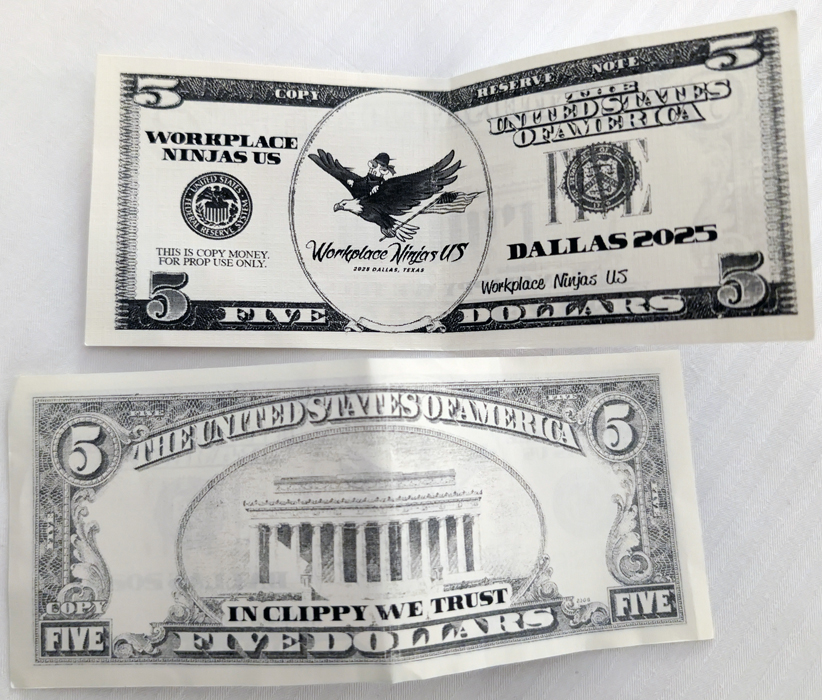
At the end of Workplace Ninjas US, I had acquired a few tokens.

Overall, I really enjoyed attending Workplace Ninjas US. It was awesome to see so many presenters I follow on social media. Getting to meet them in person and attend their sessions was surreal. After Workplace Ninjas US, I feel like I have so much more to learn, and I’m feeling very energized. It was wonderful meeting new people and making new friends. I’m excited about the possibly of attending the next Workplace Ninjas US event.
For more information about Workplace Ninjas US, here is the official Workplace Ninjas US website.
Daniel Goes Outside Vlog
If you want to watch the video version of this post, my YouTube Vlog about Workplace Ninjas US 2025 is below.